One place to look, from prep to CRM.
Content in Highspot, context in Confluence and SharePoint, deal history in Salesforce and call recordings. Sellers felt the seams every day.
Now a rep gets the same answer at every step. So do the partners.
Engage
AI Sales Agent
Your best answers are already written down somewhere. Engage puts them in front of your rep while the customer is still on the call.
Prep before. Answers during. Follow-up after.
Content in Highspot, context in Confluence and SharePoint, deal history in Salesforce and call recordings. Sellers felt the seams every day.
Now a rep gets the same answer at every step. So do the partners.
Jeramie Parsons, VP Revenue Operations, has a rule about tools: sellers pick one. Anything that needs a second tab has already lost.
An SVP now lives in Tribble, pulling competitive analysis straight out of account plans. The same material the response team writes questionnaires from.
A rep inheriting a closed-lost account used to spend 30 to 45 minutes in Gong and Salesforce working out why the deal died. Now that research is automatic, and every manager runs the same closed-lost play.
Sixty-five sellers across eight enterprise teams answer from one shared Brain.
Reps don’t lose deals on the proposal. They lose them in the three conversations around it.
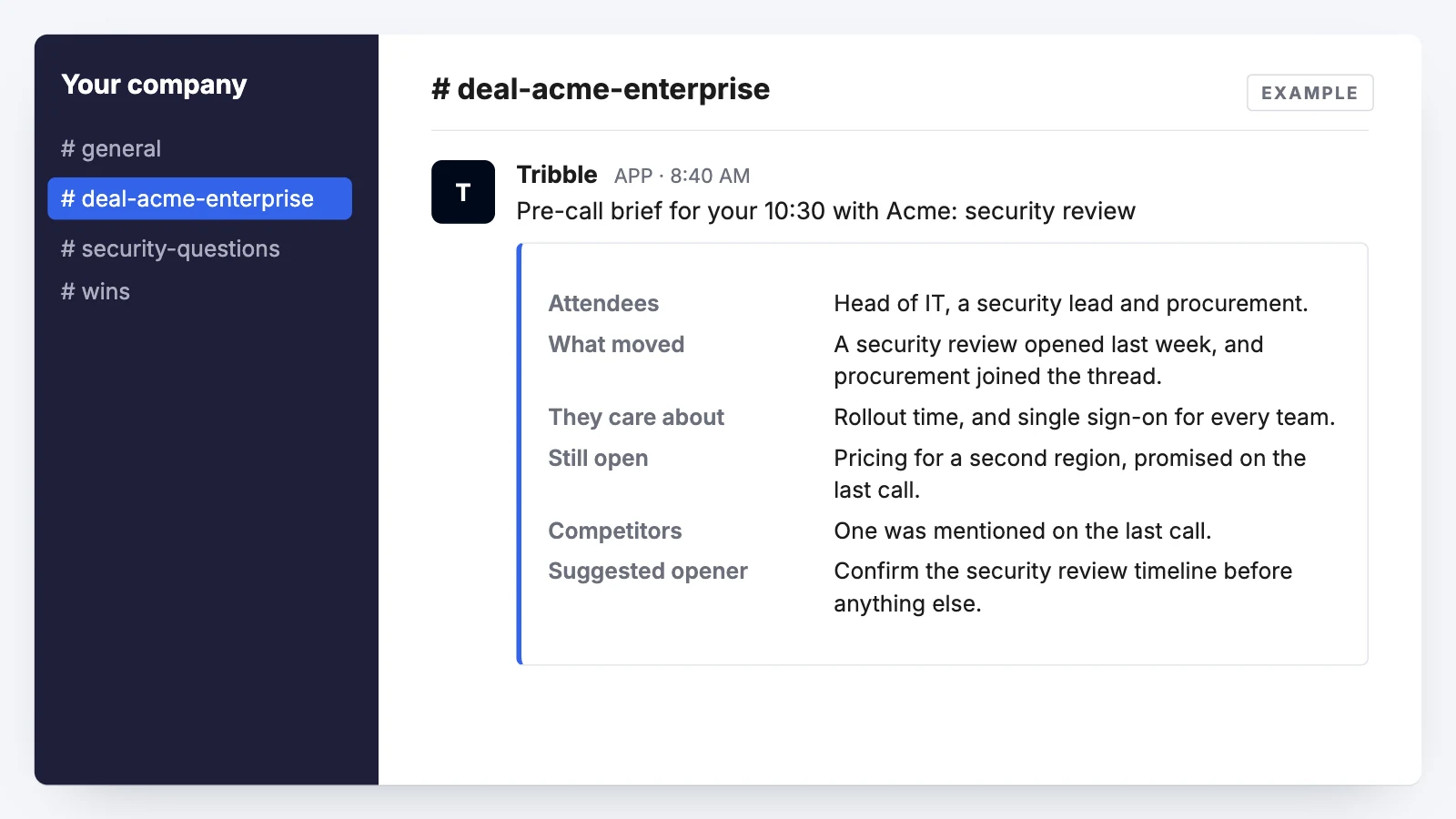
Nobody walks in cold.
The brief lands before the call. What moved on the account, what this buyer has pushed back on before, and the questions nobody ever closed out.
It’s the prep a good rep does with two free hours. Nobody has two free hours.
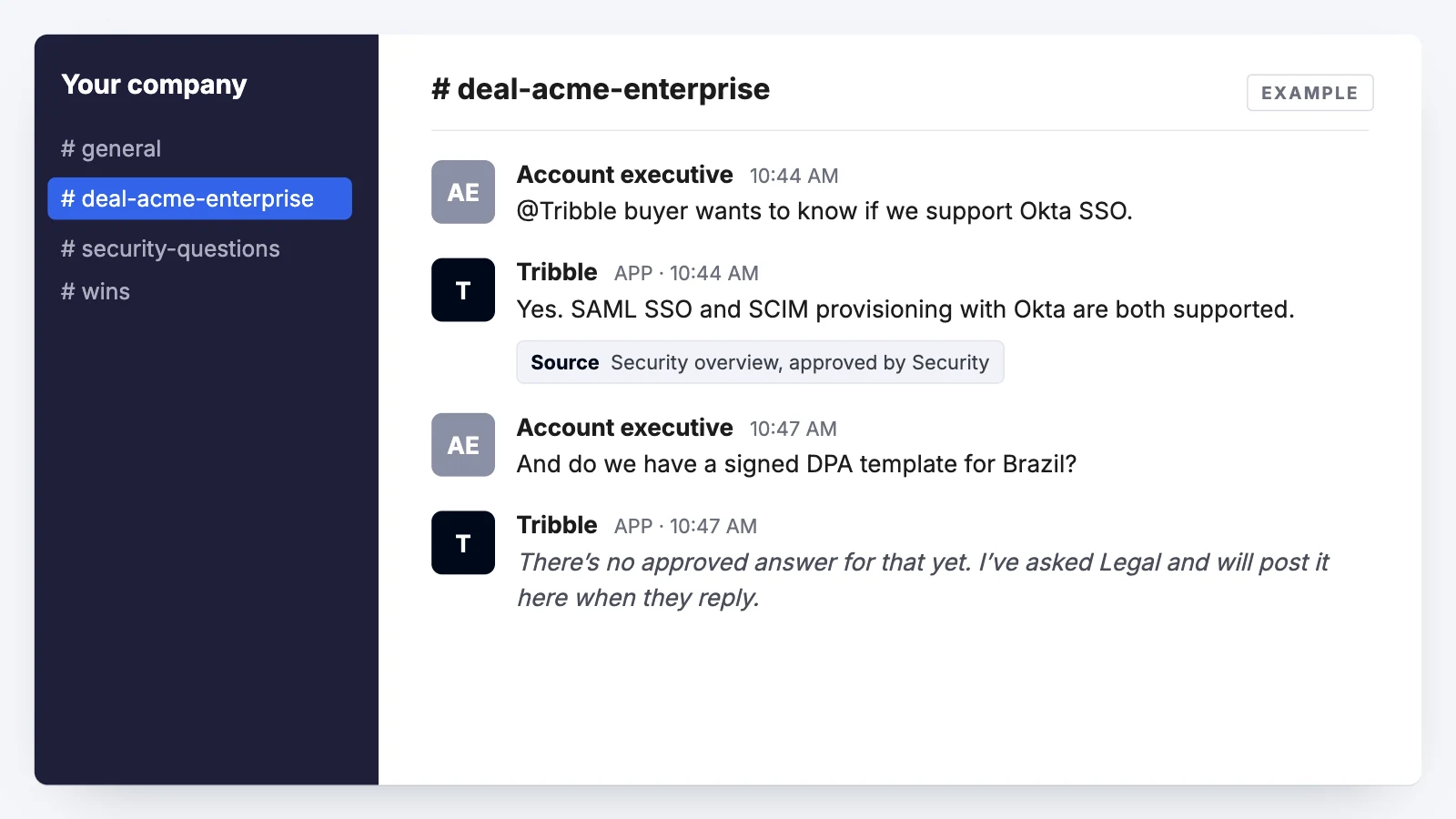
The one question nobody prepped for.
Security, data residency, the integration roadmap, a competitor’s claim, or something your own proposal team put in writing eight months ago. The approved answer comes back in the thread your rep already has open, with the document behind it.
And when there’s no approved answer, Engage says so. It won’t invent one.
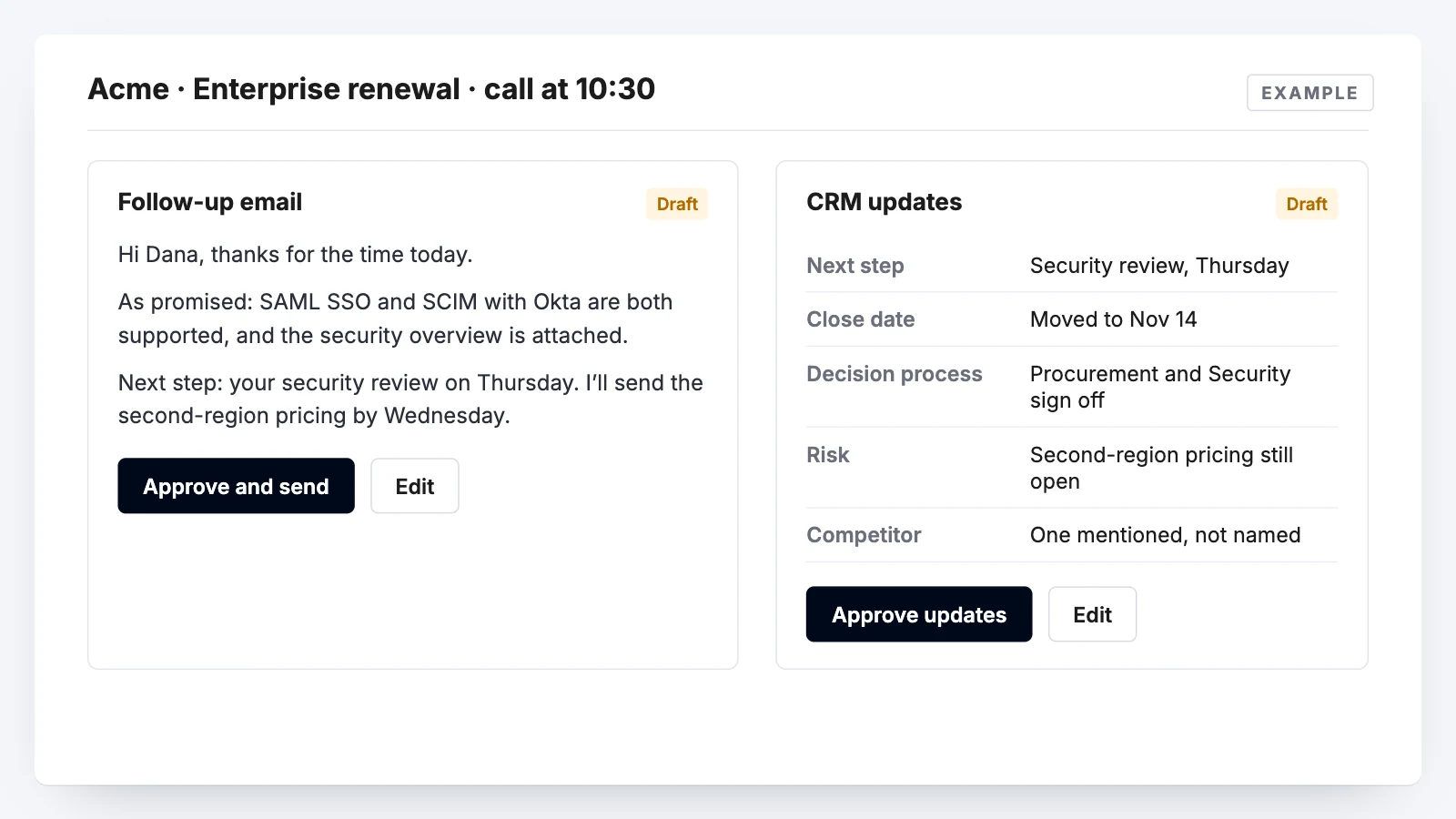
CRM hygiene fails because it’s homework.
Scribe listens, so the follow-up, the action items and the CRM fields are written from what was actually said, not from what your rep can remember on Friday. They review and approve. Nothing is written without them.
And what the call taught goes back into the Brain, so the next rep asking that question gets a better answer than this one did.
01
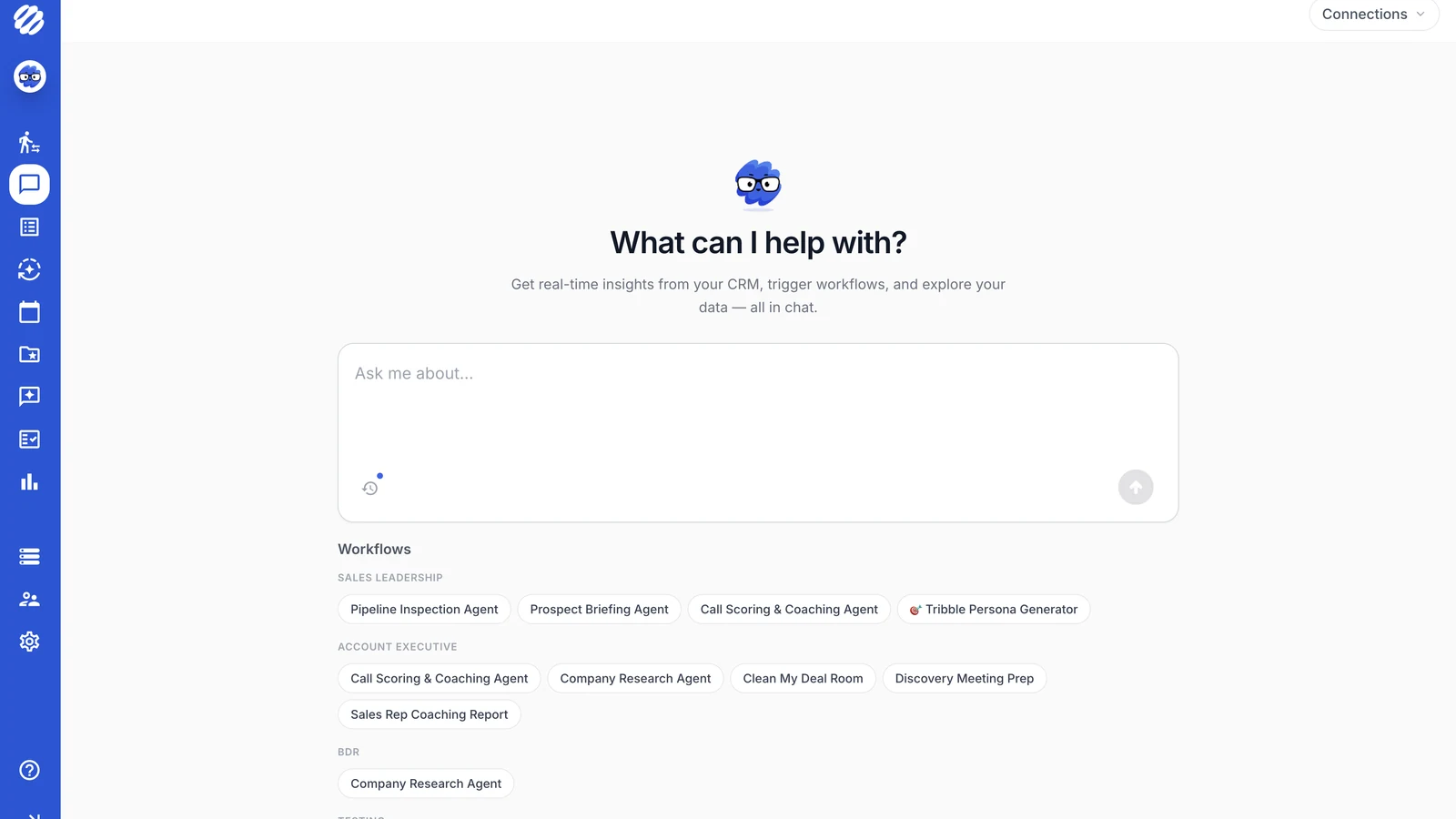
Prep, research, call scoring, deal-room cleanup. Grouped by who actually does the job.
02
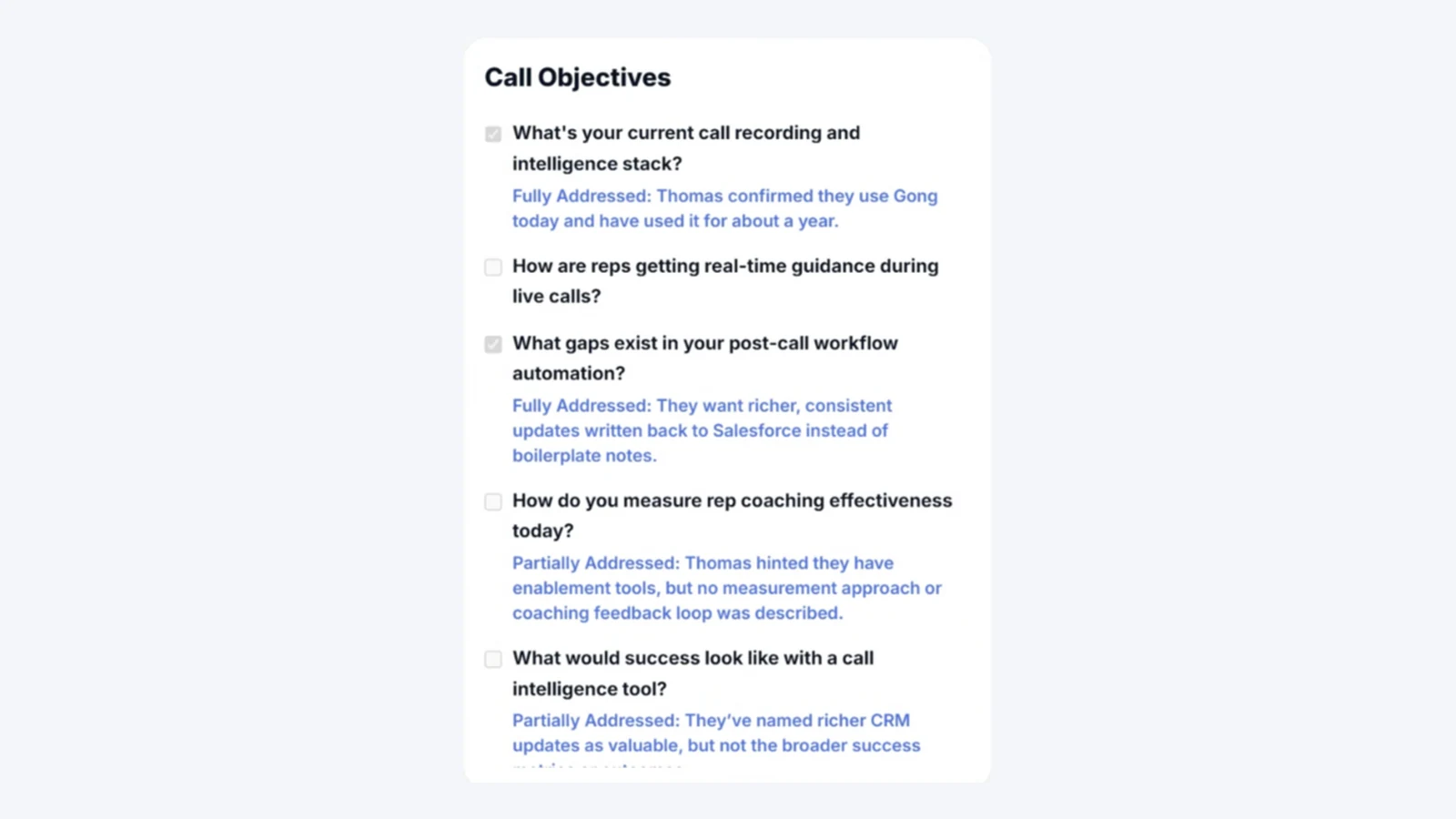
Each objective is marked as the buyer covers it, with a note on what was said.
03
Drafted from the recording, sitting on the opportunity, waiting on one click.
04
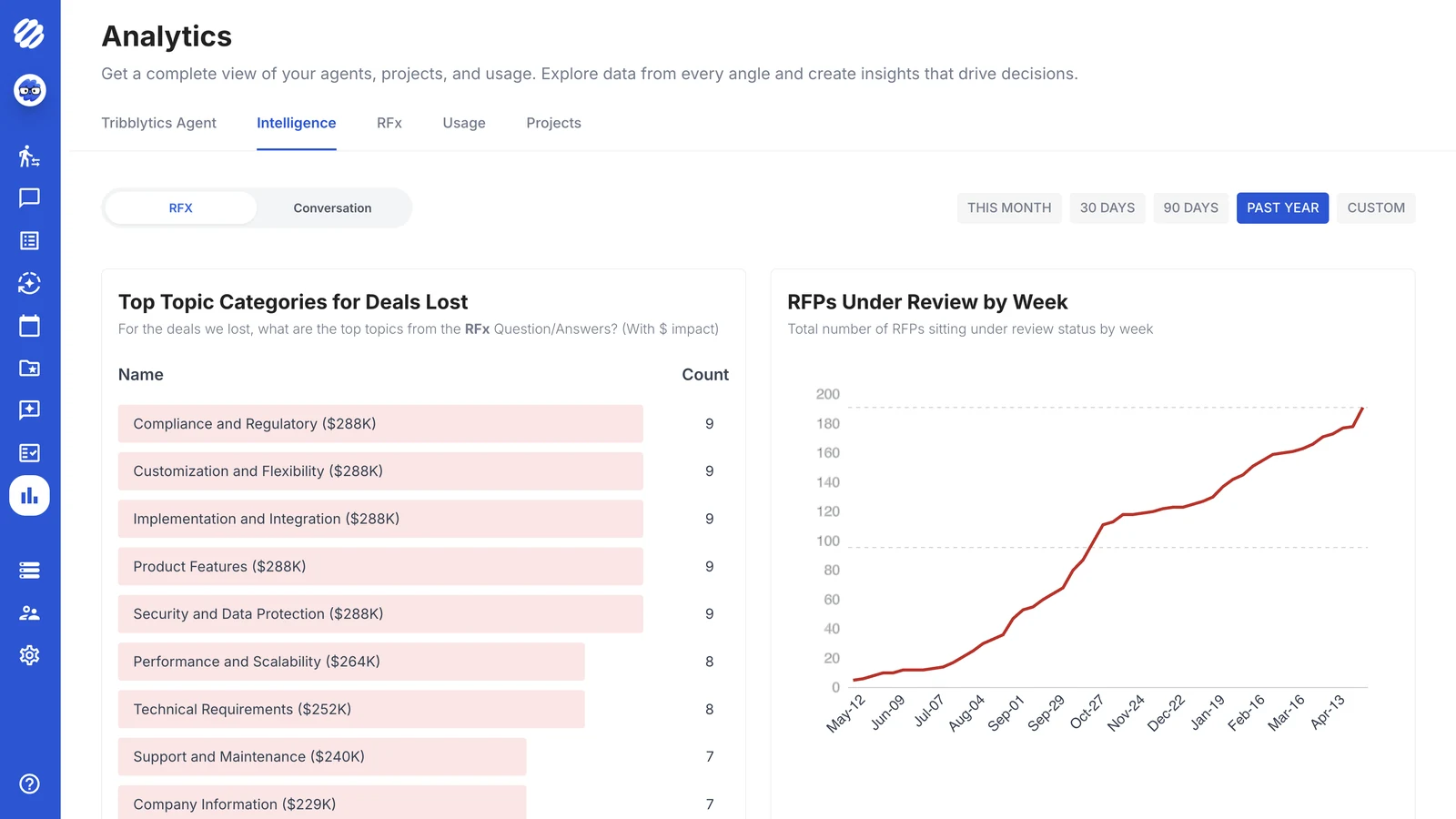
The topics that show up in deals you lost, with the dollars attached.
Every answer comes from something your company approved, and it names the source. When there’s no approved answer, Engage says so and sends the question to whoever owns it.
Prep, live answers, follow-up. Scribe records the call so the last part writes itself. One product across all three, instead of three tools that never quite line up.
Slack, Teams, the CRM, the call. Nothing new to remember mid-conversation. Priced per user, so one team can start and others can follow.
Reads the deal. Writes back to it.
Your CRM, calendar, calls and documents build the brief. The follow-up and the field updates go back to the same opportunity, so nothing ends up living only in one rep’s head.





The Brain is what Engage and Respond both answer from. Every source has an owner and a review state, so the answer your rep gives on a call is the one your proposal team would defend in writing.
See the platform4.7/5






What Engage does, where Scribe fits, and how it’s priced.
Engage is what your reps use around a buyer conversation. It briefs them before the call, answers the buyer’s questions during it, and drafts the follow-up and CRM updates after. It runs in Slack, Teams and your CRM, so there’s nothing new to open.
No. Tribble Scribe is the call recording inside Engage, and it’s included. It captures the conversation so the follow-up and CRM fields come from what was actually said.
Conversation intelligence tells you what happened on the call. Engage helps you during it. Ask about security, pricing or a past commitment and you get the approved answer with its source, not a transcript search. Engage connects to Gong and other conversation intelligence tools rather than replacing them.
From the same approved answers your proposal team uses in RFPs, DDQs and security questionnaires. If security updated an answer last week, the rep on tomorrow’s call gets the updated one. That’s the point of one Brain under both products.
Engage says so. It won’t make up an answer to cover the gap. The question goes to whoever owns that topic, and once they answer it, the next rep doesn’t have to ask.
It drafts, and your rep approves. Field updates, action items, risk signals and MEDDIC notes land as a draft on the opportunity, so the CRM stays current without extra admin.
Salesforce, HubSpot, Slack, Teams, Gong, Google Drive, SharePoint, Confluence, Box and OneDrive, among others. Engage reads deal history, calendar and prior calls to build the brief, then writes back to the CRM after.
Per user, per month, with Scribe and the Brain included. Tribble Respond is priced per project. The pricing page has the full comparison.
Yes, and most do. Start with one team and add more users later. The answers are already in the Brain, so there’s nothing to set up again.
No, but they work better together. If you already use Respond, Engage has approved answers to draw on from day one. If you start with Engage, the Brain builds from your documents, calls and deal history.
Pick three your reps answer from memory today. We’ll show you what Engage says instead, and where it got it.
Book a demo